

Quick Answer
P0606 is commonly described as ECM/PCM Processor Fault. Save the complete OEM record and identify which controller stored it before choosing a diagnostic procedure. It does not automatically prove the engine computer is dead. Establish battery condition, loaded module feeds and grounds, connector integrity, and applicable manufacturer guidance before authorizing replacement or software work.
What Does the P0606 Code Mean?
The P0606 code records a controller self-check or processor-related failure according to the manufacturer’s monitoring strategy. The common description refers to the ECM/PCM processor, but the exact internal checks and repair criteria depend on the controller and vehicle. A short generic description does not establish which external conditions were present.
Identify the reporting module. A manufacturer can use a P0606 record in a controller other than the engine PCM. GM bulletin 24-NA-050, March 2024, discusses an EBCM example on specified 2024 Silverado/Sierra HD vehicles with voltage-related companion faults. That limited case is a reason to read the full scan, not a universal battery diagnosis.
The January 2014 Volkswagen Golf/GTI reference book includes application-specific internal processor-check descriptions. Those internal diagnostic labels do not mean an aftermarket scanner can directly inspect CPU performance, RAM integrity, or firmware health. The repair decision still requires the appropriate OEM diagnostic path.
External power and connection checks matter because a controller needs stable operating conditions before its behavior can be judged. A module may ultimately be defective, but replacement should follow evidence rather than the code name alone. Likewise, correcting a discharged battery does not automatically explain every processor fault.
P0606 versus other controller and voltage faults
| Code | General description | Key distinction |
|---|---|---|
| P0606 | Processor-related controller fault | Confirm reporting module and the exact internal diagnostic branch. |
| P0601 | Internal memory checksum fault | A separate monitored result, not interchangeable with P0606. |
| P060A / P0607 | Processor monitoring performance / control-module performance | Use the complete code-specific OEM procedure. |
| P0562 / P0563 | System voltage low / high | Establish measured supply conditions and their timeline. |
A scan report identifies what a controller stored. It does not directly measure CPU utilization, memory damage, solder-joint condition, or software-file integrity.
P0606 Symptoms and Likely Causes
Symptoms depend on the reporting controller, fault status, and fallback behavior. Save warning messages and the timing of the event. A historical processor code after a supply disturbance requires a different immediate assessment from a vehicle that currently stalls or loses a safety function.
A warning may be present without a noticeable driving change. Identify the module and all companion faults.
A relevant controller issue can affect starting or operation, but supply, authorization, and other no-start causes still need their own tests.
The affected function depends on the module. Follow actual warnings rather than assuming every P0606 has the same limp mode.
A supply or connection event may create a broader timeline. Correlate the records instead of treating several codes as several failed computers.
Practical cause-checking order
- Unstable battery or module supply: Test battery condition and required feeds during the actual failure state. A parked voltage reading does not prove stability during cranking, charging, or an intermittent load event.
- Ground, terminal, or connector problem: Corrosion, poor terminal contact, water entry, a damaged crimp, or a loose ground can compromise controller operation. Prove the path electrically rather than judging it by appearance.
- External circuit or communication concern: Review relevant companion faults and any inputs or loads identified by the OEM diagnostic branch. A network fault is not automatic proof of an internal processor failure, and not every network fault explains P0606.
- Applicable calibration or setup issue: Check current manufacturer guidance, module identity, and vehicle history. Software work needs a matching application and diagnostic direction; a generic code is not permission to install an arbitrary calibration.
- Internal controller failure: Hardware or internal operation may be defective after required external conditions and applicable service guidance are addressed. Replacement needs the complete evidence and a plan for correct setup and verification.
Do not repeatedly erase the fault, disconnect the battery, or attempt unsupported programming to see whether the module recovers. Preserve the evidence and follow the exact controller procedure.
How Serious Is P0606, and Can You Drive?
The code alone cannot determine whether the vehicle is safe to drive. With a steady warning and normal operation, follow the owner’s manual and arrange prompt diagnosis. A historical record should be investigated against its conditions without automatically declaring the PCM dead.
If the engine stalls, power is unpredictable, braking or steering assistance is affected, or the vehicle will not restart reliably, arrange recovery. The reporting module and actual symptoms determine the safety response. A separate overheating, oil-pressure, smoke, or leakage warning takes priority.
Stop and arrange a tow Stop safely and obtain help for stalling, unsafe power loss, abnormal braking or steering assistance, smoke, electrical burning, or serious engine warnings. Do not road-test an unreliable vehicle simply to make a processor code return.
Follow module shutdown and battery-isolation instructions before removing connectors. Use approved probes to avoid terminal damage and accidental shorts. Keep leads clear of moving and hot components. Module programming or replacement may require trained personnel, stable support power, security access, and manufacturer-approved equipment.
How to Diagnose P0606 in the Right Order
-
Save the full scan and identify the reporting module
Record VIN, engine, module identity, software or calibration identification when exposed, exact P0606 wording and suffix, and current/history status. Save all accessible module faults and available environmental data before clearing anything. Note warning messages and whether the event followed a start, jump-start, charging, replacement, or software operation.
Do not assume a generic reader’s shortened label identifies the engine PCM. Use supported manufacturer-level information to establish the controller that stored the fault. A code retrieved from one module and a lost-communication code stored by another describe different observations and should remain distinguishable in the report.
-
Establish battery condition and the failure timeline
Use the correct battery inspection and test procedure for the vehicle and battery type. Record charge state and any relevant charging condition. Ask about discharge, jump-starting, loose terminals, and aftermarket electrical work, but treat this history as a lead to test rather than proof of causation.
Compare the timing of voltage, reset, and communication faults with P0606. If the manufacturer procedure identifies a supply-related branch, complete it before condemning the module. A new battery does not prove all feeds and grounds are sound, and a single low-voltage event does not universally explain an internal diagnostic.
-
Prove module feeds and grounds under the correct load
Obtain the VIN-specific wiring diagram, connector views, and controller test procedure. Identify constant, switched, wake-up, and ground paths as applicable. Measure at the approved points during the state associated with the fault, including cranking or load changes when required.
Perform the prescribed loaded voltage-drop and supply tests. An unloaded voltage at a disconnected connector can hide a poor connection. A ground that looks clean can still fail under load. Use proper breakout equipment and protect terminals; do not inject voltage into unidentified controller pins.
-
Inspect connections and resolve relevant external faults
Inspect connector seals, terminal fit, crimps, water entry, heat damage, and harness routing. Check recent repairs and the specific external circuits named by the OEM diagnostic branch. Document defects before disturbing connections changes an intermittent condition.
If communication is unreliable, follow the proper network and power checks instead of declaring the module dead from a failed scan connection. Resolve companion faults in the manufacturer’s stated order. Do not replace several modules because they reported the same supply interruption or rejected data during one event.
-
Check current OEM guidance before software or replacement
Verify any bulletin, campaign, calibration, or setup instruction against the exact VIN, build range, controller, symptoms, and companion codes. Historical examples can explain diagnostic possibilities, but current service information takes priority. The GM EBCM voltage example in the references must not be applied to unrelated engine PCMs.
Perform software work only when the applicable procedure directs it, using the correct equipment and stable supply support. ECU coding and ECU firmware programming are different operations. Do not interpret a product’s coding menu as proof it can perform every replacement-module, immobilizer, or reflash procedure.
-
Confirm the diagnosis, complete setup, and retest
If the fault persists after required external checks and applicable guidance, follow the manufacturer’s criteria for controller replacement or further specialist testing. Confirm the correct part, required programming or configuration, security authorization, and installation procedure before ordering a module.
After the proven repair, complete only the required setup and repeat the original safe operating conditions. Save the final scan and electrical results. Clear erasable faults as directed after preserving evidence. Confirm stable operation and the relevant diagnostic result; a light that is temporarily off after erasing memory is not proof of a repaired processor fault.
Specifications are vehicle-specific. Use the exact module’s power, ground, communication, internal-diagnostic, calibration, and setup criteria. There is no universal P0606 voltage cutoff, CPU test, reset sequence, or number of successful starts.
P0606 Repairs and Cost Factors
The appropriate repair may involve a proven supply or connector defect, a matching OEM software action, or a controller that fails the required tests. Keep the evidence for the chosen path. Do not prescribe a PCM replacement solely because P0606 appears in a generic scan.
A replacement controller can require vehicle-specific configuration and security procedures. Confirm these before authorizing the job, including whether a used or remanufactured unit is suitable. Diagnostic communication, coding, programming, and physical module repair are different capabilities and should not be promised interchangeably.
| Possible path | US quote requirements |
|---|---|
| Supply and controller diagnosis | Include battery condition, loaded feeds/grounds, connections, and the full OEM diagnostic branch. |
| Terminal or harness repair | Name the proven defect, approved parts, sealing, and access labor. |
| Applicable software work | Confirm exact bulletin/calibration applicability, equipment, support power, and verification. |
| Controller replacement | Include the correct module, configuration, security procedures, and post-repair checks. |
Request a written VIN-specific quote after the cause is established. A terminal repair and controller replacement are different jobs, and setup requirements can change the total. Ask for separate diagnosis, parts, labor, taxes, programming or configuration where required, and verification. Check any applicable coverage by VIN and failed component.
Using iCarsoft CR Eagle for P0606
The official iCarsoft CR Eagle page lists diagnostic and bidirectional capabilities. For P0606, confirm the exact reporting controller, code access, available identification data, and required function before purchase. Broad model coverage does not establish every firmware or replacement-module procedure.
Use the scanner to organize supported evidence across modules and compare before-and-after code status. A voltage PID can complement a meter reading but may not capture a brief disturbance. Keep physical loaded measurements with the scan report, especially when the original event occurred during cranking or charging.
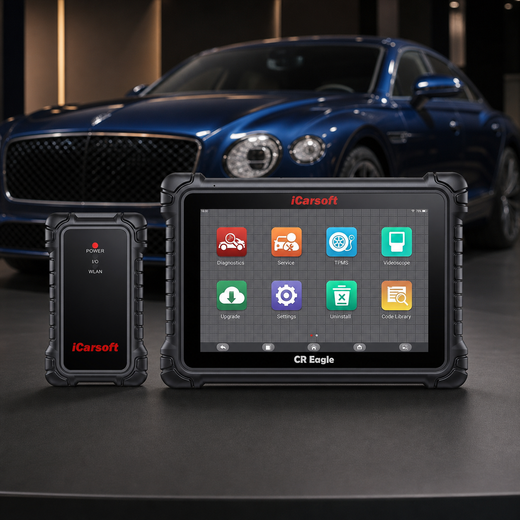
Save evidence before choosing a repair
iCarsoft CR Eagle
On a supported vehicle, the CR Eagle helps preserve the full module fault report and relevant operating data before a controller repair decision.
Check current CR Eagle price and availabilityCheck CR Eagle compatibility by VINThe scanner does not directly measure CPU load, RAM damage, processor self-test integrity, or firmware-file health. Do not claim that a generic reset or coding function repairs corrupted software. Vehicle programming should follow matching OEM instructions with confirmed equipment coverage.
Know the measurement boundary. Battery capacity, loaded voltage drop, current, terminal contact, internal hardware damage, and network waveforms require appropriate external instruments or specialist tests. Scan data reports supported controller information; it does not physically inspect the processor.
Verify the P0606 Repair
Confirm stable module power, reliable communication, completed required setup, and safe operation during the original conditions. Recheck all relevant modules and save the final report. Document which intermittent conditions were reproduced and which remain uncertain rather than declaring success from one clean stationary scan.
Follow the exact clearing and verification sequence. Review current and pending faults and any supported monitor result. Readiness may reset after clearing. A permanent emissions DTC, when supported and present, clears through the vehicle’s own qualifying monitor rather than a forced scan erase or battery disconnect.
A permanent P0606 can remain immediately after a successful repair. If the vehicle stores it as a permanent DTC, a scan tool or battery disconnect cannot erase it. Once current and pending faults are absent, the OBD system removes the permanent record only after the applicable monitor reruns and passes.
Related controller operation and electrical supply Code Guides
P0606 Frequently Asked Questions
Does P0606 prove the PCM is dead?
No. Confirm the reporting module, full fault, stable operating supplies, connections, and applicable OEM diagnostic criteria before authorizing replacement.
Can P0606 be stored outside the engine PCM?
Manufacturer-specific applications can use it in another controller. GM 24-NA-050 describes a limited EBCM example. Identify the actual reporting module rather than transferring that example universally.
Can a weak battery cause this code?
Supply conditions can be relevant on documented applications, but a battery history does not explain every P0606. Complete the correct battery and loaded module-supply tests.
Can a scanner test CPU or memory health directly?
A diagnostic scanner reads supported fault and operating information. It does not physically measure processor utilization, memory damage, or firmware-file integrity.
Will clearing or reprogramming always fix P0606?
No. Clearing removes erasable evidence, not the cause. Programming is appropriate only when exact OEM guidance and equipment support establish that repair path.
How is a P0606 repair confirmed?
Verify stable supplies and operation, complete required setup, and repeat the original safe conditions while reviewing relevant module faults and diagnostic results. A temporary clean scan after erasing is insufficient.
Technical references
- GM 24-NA-050 — March 2024; specified Silverado/Sierra HD EBCM voltage-related example
- Volkswagen Golf/GTI Quick Reference Specification Book — January 2014; application-specific processor checks
Product information: Official iCarsoft CR Eagle page.
Editorial note: Use current manufacturer instructions for your VIN and qualified help for work beyond your training. A code identifies a test result, not a confirmed failed part.


